




互動式遠端存取

透過互動式遠端存取實現安全高效的共同作業

適用於:

開始試用專業版

安全高效的遠端操作

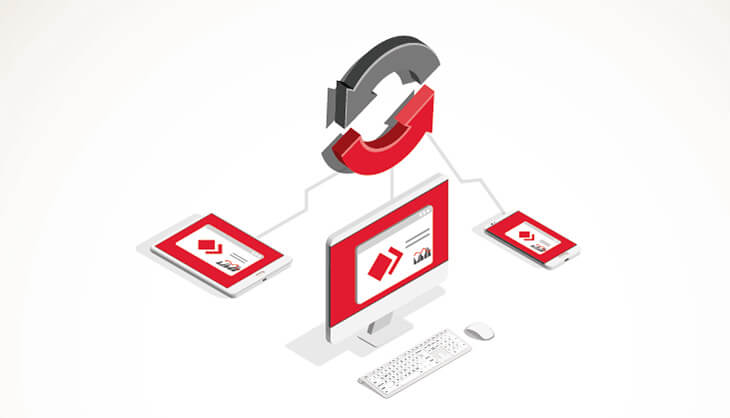
連接全球各地的同事,共同處理文檔。解決任何技術問題,無論距離多遠。 AnyDesk將您和您的操作合作夥伴聯繫起來。

直觀操作

通過AnyDesk連接只需要點擊幾下。迅速下載並安裝小文件。發送會話請求,或者邀請同事訪問您的屏幕。您很快就能連接。

最高安全性

您可以決定專案合作夥伴如何存取您的裝置。您可以透過「互動式存取」進行完整控制。除非您主動授權,否則任何人都無法存取您的裝置。您可以隨時透過「接受視窗」調整工作階段的權限。

靈活設置

操作具有很好的靈活性。使用屏幕上的白板, 以視覺方式引導項目合作夥伴了解程序。切換遠端訪問只需要點擊一下。如果仍然不明白,您可以錄製會話,稍後查看。

AnyDesk促進團隊合作和操作

屏幕共享

AnyDesk交互訪問是快速共享遠端屏幕的理想解決方案,沒有任何延遲。這非常適合需要高幀率的軟件或產品演示。

團隊合作

無論是一起使用一台PC,還是訪問彼此的桌面進行遠端操作 – 使用AnyDesk交互訪問,團隊合作變得更簡單、更快。

排除故障

通過遠端連接到您的客戶端,找出技術問題原因。 AnyDesk交互訪問因需要首先接受會話請求而建立信任。

教程:AnyDesk入門

了解AnyDesk入門有多簡單

教程:AnyDesk入門

Precision remote control for professional support

AnyDesk's Interactive Access puts complete control in your hands with customizable permission settings for every session type. Configure access levels from view-only screen sharing to full administrative control, and adjust permissions in real time as your support needs change. Every connection requires manual approval, ensuring users maintain full control over device access.

Flexible Permission Management

Adapt access levels instantly through the Accept Window during active sessions. Grant full keyboard and mouse control for comprehensive troubleshooting, restrict to screen-view-only for secure demonstrations, or enable file transfer and system restart capabilities as scenarios evolve. Configure the exact permissions your team needs without interrupting workflow.

Collaborative Control Features

Switch control direction with a single click, allowing both parties to guide each other through complex troubleshooting steps. Use the integrated whiteboard tool to mark up screens and provide visual guidance in real-time, making it easier to communicate technical instructions and highlight specific interface elements during remote sessions.

Session Documentation & Security

Record entire sessions for training documentation, quality assurance, and compliance purposes. Capture every interaction for future reference or to demonstrate best practices to your team. Whether conducting product demonstrations, training remote teams, or resolving IT issues, AnyDesk delivers flexible remote control with enterprise-grade security.

發現更多

AnyDesk Remote Desktop Permissions

博客:控制桌面訪問

深入閱讀如何控制桌面的訪問方式。

How To Screen Share With AnyDesk

博客:屏幕共享

在我們的博客中,了解使用AnyDesk共享屏幕。

Group of people working in cafe

AnyDesk遠端操作

了解AnyDesk如何支援遠端操作。

常見問題

AnyDesk uses advanced security features like industry-leading TLS 1.3 encryption and robust access controls to protect your data and sessions. Whether you're an IT professional or just getting started with remote access, you can rely on AnyDesk's commitment to security, helping you work or provide support with complete peace of mind.

AnyDesk is built on its innovative DeskRT codec, which delivers high performance and low latency, even over slower internet connections. This means you get smooth, real-time remote desktop experiences—ideal for everything from technical support to remote work—no matter where you or your devices are located.

Absolutely! AnyDesk is designed with a simple, intuitive interface that makes connecting to remote devices straightforward, regardless of your technical background. With quick installation, clear navigation, and helpful guides, anyone can set up and use AnyDesk with confidence.

Yes. AnyDesk offers flexible licensing and deployment options, including cloud and on-premises solutions. You can tailor the platform with advanced user management, branding, and integration with ITSM and CRM platforms—making it adaptable for individuals, small teams, or large enterprises.

Definitely. AnyDesk is trusted by over 200,000 customers worldwide for remote work, IT support, device management, and educational purposes. Features like unattended access and multi-platform support make it easy to manage devices, provide technical assistance, or collaborate from anywhere.

AnyDesk stands out for its blend of speed, security, and user-friendly design. Unlike many competitors, it offers both cloud and on-premises deployments, advanced customization, and seamless integration with existing IT workflows. This flexibility, combined with industry-leading performance, ensures that AnyDesk can meet the needs of any user or organization.