


Safe Remote Access for a variety of use cases
Whether you want to manage multiple devices, maintain and monitor computers or control high-performance machines, AnyDesk allows you to access them stably, securely, and across all platforms. Discover how AnyDesk is your ideal partner for the Internet of Things.
Secure Remote Access
When accessing devices across platforms, security is always key. AnyDesk’s military-grade encryption ensures that your device and the data you access are safe at any point.
Flexible possibilities for IoT
Remotely control any powerful machines from any device – even from mobile phones. Work on remote workstations or monitor confidential processes from anywhere.
Simple and efficient remote maintenance
Manage and maintain machines from one central point. Access public devices securely in the background and maintain them in private.

Secure Remote Access
When accessing devices across platforms, security is always key. AnyDesk’s military-grade encryption ensures that your device and the data you access are safe at any point.
Flexible possibilities for IoT
Remotely control any powerful machines from any device – even from mobile phones. Work on remote workstations or monitor confidential processes from anywhere.
Simple and efficient remote maintenance
Manage and maintain machines from one central point. Access public devices securely in the background and maintain them in private.
Trusted by over 200,000 customers


Enjoy secure and fast Remote Access

Unattended Access
Use a password to securely access devices from anywhere, so that the remote session doesn’t have to be accepted manually.

Two-Factor Authentication
Double protect access to the remote device. Use time-based number codes in addition to your Unattended Access password.

Wake-On-LAN
The remote device is in sleep mode and can’t be accessed? Wake it up using a different device and AnyDesk’s Wake-On-LAN feature.

Privacy Mode
If you need to maintain a public computer remotely, for example, a screen in a shopping center, you can turn the screen black and work on it in private.

Mobile Device Management
Integrate AnyDesk with an MDM solution to manage and maintain large numbers of mobile devices from one central point.

REST-API
Integrate AnyDesk into software products you already use for process automation or data collection and get one step closer to the interconnection of the IoT.


Feature |
Personal Use (Free) |
Business / Professional Use (Paid License) |
|---|---|---|
|
Intended use (Remote Access) |
Non-commercial remote access: helping friends/family, accessing your own home devices occasionally. |
Commercial/professional remote access: IT support, remote work, device management, customer support environments. |
|
Cost |
Free |
Monthly/annual subscription (Solo, Standard, Advanced, Ultimate). |
|
Remote access capabilities |
Basic remote access and screen control; limited reliability for long sessions; some features restricted or unavailable. |
Full remote access suite with stable, high-performance sessions, unattended access, priority routing, and enhanced connection quality. |
|
Device / session limits |
Strict limits: few devices allowed; repeated or “business-like” usage may trigger blocks or forced upgrade. |
Scalable: more devices, concurrent remote sessions, and full unattended access across multiple endpoints. |
|
Advanced remote access features |
Mostly unavailable. Lacks: remote printing, session recording, Wake-on-LAN, permission profiles, custom clients, APIs. |
Fully included: remote printing, session logging, Wake-on-LAN, custom permission sets, address-book device groups, custom client deployment, REST APIs. |
|
Commercial-use compliance |
Free version must not be used for IT support or any business activity; system may detect commercial usage and limit access. |
Licensed for full commercial remote access; includes proper compliance, auditing, and support for business environments. |
|
Support & deployment scale |
Community/help-center support only; no mass-deployment tools; no centralized admin controls. |
Enterprise-grade support, mass deployment (MSI, Group Policy), centralized management console, advanced security/admin controls. |
Feature: Intended use (Remote Access)
Personal Use (Free)
Non-commercial remote access: helping friends/family, accessing your own home devices occasionally.
Business / Professional Use (Paid License)
Commercial/professional remote access: IT support, remote work, device management, customer support environments.
Feature: Cost
Personal Use (Free)
Free
Business / Professional Use (Paid License)
Monthly/annual subscription (Solo, Standard, Advanced, Ultimate).
Feature: Remote access capabilities
Personal Use (Free)
Basic remote access and screen control; limited reliability for long sessions; some features restricted or unavailable.
Business / Professional Use (Paid License)
Full remote access suite with stable, high-performance sessions, unattended access, priority routing, and enhanced connection quality.
Feature: Device / session limits
Personal Use (Free)
Strict limits: few devices allowed; repeated or “business-like” usage may trigger blocks or forced upgrade.
Business / Professional Use (Paid License)
Scalable: more devices, concurrent remote sessions, and full unattended access across multiple endpoints.
Feature: Advanced remote access features
Personal Use (Free)
Mostly unavailable. Lacks: remote printing, session recording, Wake-on-LAN, permission profiles, custom clients, APIs.
Business / Professional Use (Paid License)
Fully included: remote printing, session logging, Wake-on-LAN, custom permission sets, address-book device groups, custom client deployment, REST APIs.
Feature: Commercial-use compliance
Personal Use (Free)
Free version must not be used for IT support or any business activity; system may detect commercial usage and limit access.
Business / Professional Use (Paid License)
Licensed for full commercial remote access; includes proper compliance, auditing, and support for business environments.
Feature: Support & deployment scale
Personal Use (Free)
Community/help-center support only; no mass-deployment tools; no centralized admin controls.
Business / Professional Use (Paid License)
Enterprise-grade support, mass deployment (MSI, Group Policy), centralized management console, advanced security/admin controls.
Discover more

Blog: The workplace of the future
Find out how to prepare your business for the digital future.


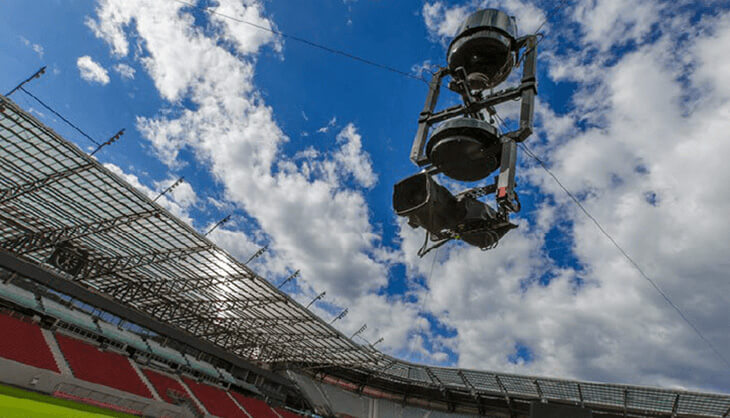
Case Study: SPONTENT GmbH
Find out how SPONTENT directs live sporting events on Twitch via AnyDesk.

Viewing the Stars with AnyDesk
Discover how controlling a telescope and viewing the stars with AnyDesk works.
Frequently asked questions
Remote Access Software for fast and safe connections
Unattended vs. Interactive Access
Accessing your workstation via password and remote controlling machines is what we call Unattended Access. However, connecting to co-workers and giving Remote Support while they are present at their computer or collaborating on projects together means someone is present on the remote device and interacting. Therefore, it is called Interactive Access.
More than just Remote Access
There are a plethora of different use cases for a Remote Desktop Tool like AnyDesk apart from simple Remote Access, IoT and Remote Maintenance. IT employees can help their users by directly connecting to their devices and solve problems, employees can not only Work from Home but from anywhere in the world and still feel like they are sitting in front of their work PC.
Why is AnyDesk so fast?
Our proprietary DeskRT video codec allows a refresh rate of 60 fps. That means AnyDesk’s remote connections have an incredibly low latency – imperceptible to the human eye. Therefore, remote connections with AnyDesk are seamless and stable, even at low bandwidths. AnyDesk is the ideal Remote Desktop Solution for areas with poor internet connectivity.
Let's talk
Would you like to learn more about Remote Access Solutions? Our sales team can help you to ensure our solution meets your requirements.
Contact Us
 +1 833 269 3375
